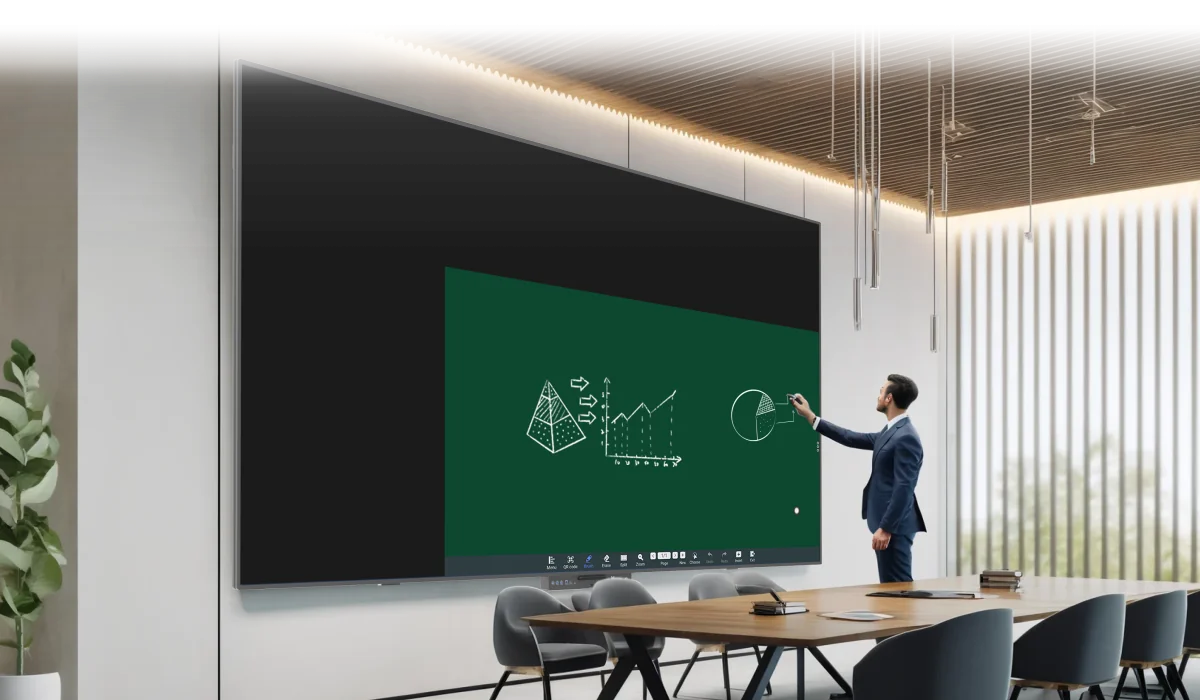
Room dimensions, seating distance, and the type of content shown all influence screen selection more than appearance alone. Conference room smart boards need enough viewing area for participants seated far from the display, while an interactive flat panel should remain comfortable for presenters working close to the screen. Ledman’s interactive solutions illustrate how touch-based collaboration can support modern meeting environments, but the right size still depends on the physical room rather than the device itself.
Match Screen Size With Viewing Distance
Viewing distance provides the most useful starting point. Participants positioned close to the display can work comfortably with a smaller panel, whereas larger meeting rooms usually require greater screen area so text, charts, and presentation details remain readable from the back row.
Room length should therefore be measured before purchasing. A compact discussion room may suit a moderate display, while executive boardrooms, training rooms, and multipurpose spaces often benefit from larger dimensions. Seating layout matters as well because a wide arrangement can place some participants farther from the center of the screen.
Content type changes the calculation further. Large text and simple diagrams are easier to read from a distance than dense spreadsheets or detailed engineering drawings. A buyer should evaluate the smallest text commonly displayed, not merely the average presentation slide.
Understand Practical Size Ranges
Screen dimensions should support interaction as well as visibility. Excessive size can make the upper corners difficult for presenters to reach, particularly if the panel is mounted high on a wall. Very small displays create the opposite problem: participants may need to lean forward or move closer to interpret shared content.
Conference room smart boards become more useful when the screen remains accessible to presenters while providing sufficient visibility for the entire audience. Touch activities, annotation, document review, and collaborative diagrams all require practical reach rather than viewing space alone.
Another consideration involves room furniture. A wide conference table, wall-mounted camera, speakers, or architectural columns can restrict usable installation space. Measuring the available wall width and height first prevents the selected screen from creating conflicts with existing equipment.
Consider Viewing Distance and Resolution
Resolution should be considered alongside physical size. Increasing screen dimensions without suitable pixel density can make images appear less refined at close range. Conversely, choosing an extremely high-resolution display for a room where viewers sit far away may provide limited practical benefit.
Content clarity becomes especially important during presentations containing small fonts, financial figures, or technical graphics. A suitable display allows participants to distinguish fine details without repeatedly changing their seating position.
Touch interaction introduces another layer. Presenters standing directly beside the screen need enough working space to annotate naturally. The display should therefore be evaluated from both audience and presenter perspectives rather than judged solely by diagonal measurement.
What Happens When the Panel Is Too Small?
A screen that falls below the room’s practical viewing requirement can weaken communication. Participants seated toward the rear may struggle with smaller text, while presenters may spend more time zooming into documents or enlarging individual sections.
Such limitations become noticeable during hybrid meetings. Remote participants may see shared content clearly through the conferencing platform, yet people inside the room can still have difficulty reading the physical display. Screen size therefore affects the in-room experience independently of camera quality.
Oversized displays create different challenges. Excessive dimensions can increase installation complexity, occupy valuable wall space, and make touch operations less convenient. The objective is not simply to choose the largest available option, but to find a proportion that suits the room.
Evaluate Room Layout Before Installation
Ceiling height, wall structure, seating orientation, and viewing angles should all be checked before finalizing the specification. A room with tiered seating may require different sizing logic from one containing a single conference table.
Mounting height deserves particular attention. The center of the display should remain comfortable for seated viewers while allowing standing presenters to interact without excessive stretching. Wall conditions also affect whether mounting or mobile installation is more practical.
For larger spaces, multiple displays can sometimes make more sense than one oversized screen. Separate viewing zones may improve visibility while preserving comfortable interaction near the presentation area. Such decisions should be based on room geometry rather than screen size alone.
Choosing the Right Size for Business Use
A useful purchasing process starts with measurements, then moves toward content requirements, seating distance, interaction needs, and installation constraints. This sequence prevents screen size from being selected simply because a particular diagonal measurement appears attractive on a specification sheet.
Interactive flat panel selection should also account for how frequently users annotate, present wirelessly, review documents, or conduct video meetings. A panel intended mainly for presentations may have different practical requirements from one used throughout the day for collaborative work.
For buyers comparing conference room smart boards, the strongest specification is the one that balances readability, reachability, room proportions, and future usage. Ledman demonstrates how interactive display technology can support collaborative work, while careful sizing determines whether that technology fits naturally into the space.
Conclusion
Screen size is ultimately a room-planning decision rather than a standalone specification. Viewing distance establishes the basic requirement, content determines how much detail must remain visible, and physical layout shapes how comfortably people can interact with the display. Thoughtful measurement before purchase can prevent both cramped interaction and unnecessary oversizing. For organizations assessing interactive flat panel options, matching the display to real meeting conditions provides a more practical path toward effective collaboration.
